
USB cables (Universal Serial Bus) are essential, versatile cables for charging devices and transferring data between computers, peripherals, and smartphones. Types include USB-C (fastest, modern), USB-A (classic rectangle), and Micro-USB. Key choices depend on connector type, desired data speed (up to 80 Gbits/s with USB4), and power delivery (up to 240W)
 240W)
240W)Common Types of USB Cables
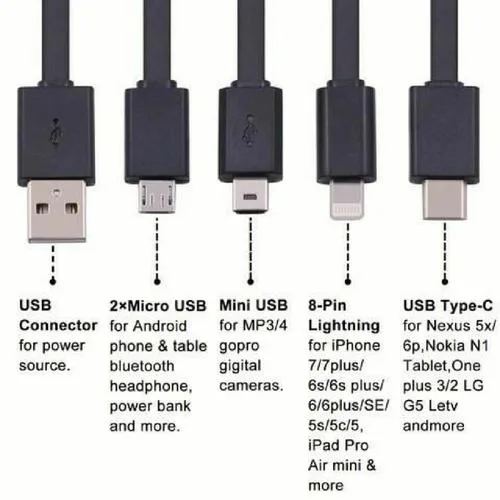
- USB-C: The modern, reversible standard for modern laptops, tablets, and phones.
- USB-A: The standard rectangular connector on computers and chargers.
- Micro-USB: Common on older Android phones and portable devices.
- Mini-USB: Found on older digital cameras and gaming controllers.
- Lightning: Apple-specific connector (not a native USB standard, but functions similarly)
Common Uses
- Charging: Connecting devices to power adapters or USB ports to charge.
- Data Transfer: Moving files, photos, and music between devices.
- Peripherals: Connecting keyboards, mice, printers, and scanners.
How to Choose the Right Cable
- Identify Ports: Check the port shape on your computer/charger and your device.
- Power vs. Data: Choose cables with data lines if you need to transfer files; thin cables are often power-only.
- Power Delivery Needs: For fast charging laptops or phones, select a cable that supports high wattage (up to 240W).
- Speed Requirements: USB 3.2 Gen 2 or USB4 are best for high-speed data transfer (up to 40-80 Gbits/s).
Common Problems & Considerations
- Power-Only Limitation: Many cheaper cables lack data wires, making them useless for file transfers.
- Cable Quality/Durability: Thin cables can be fragile; braided, high-quality cables are more durable.
- Confusion in Standards: USB-C ports can support different speeds (USB 2.0 to USB4/Thunderbolt) and wattages, making it hard to know a cable’s capabilities just by looking at it.
- Length Constraints: Longer cables (over 16ftor ≈5m) may experience signal degradation, though USB hubs and extenders can be used.
Uses of USB Cables
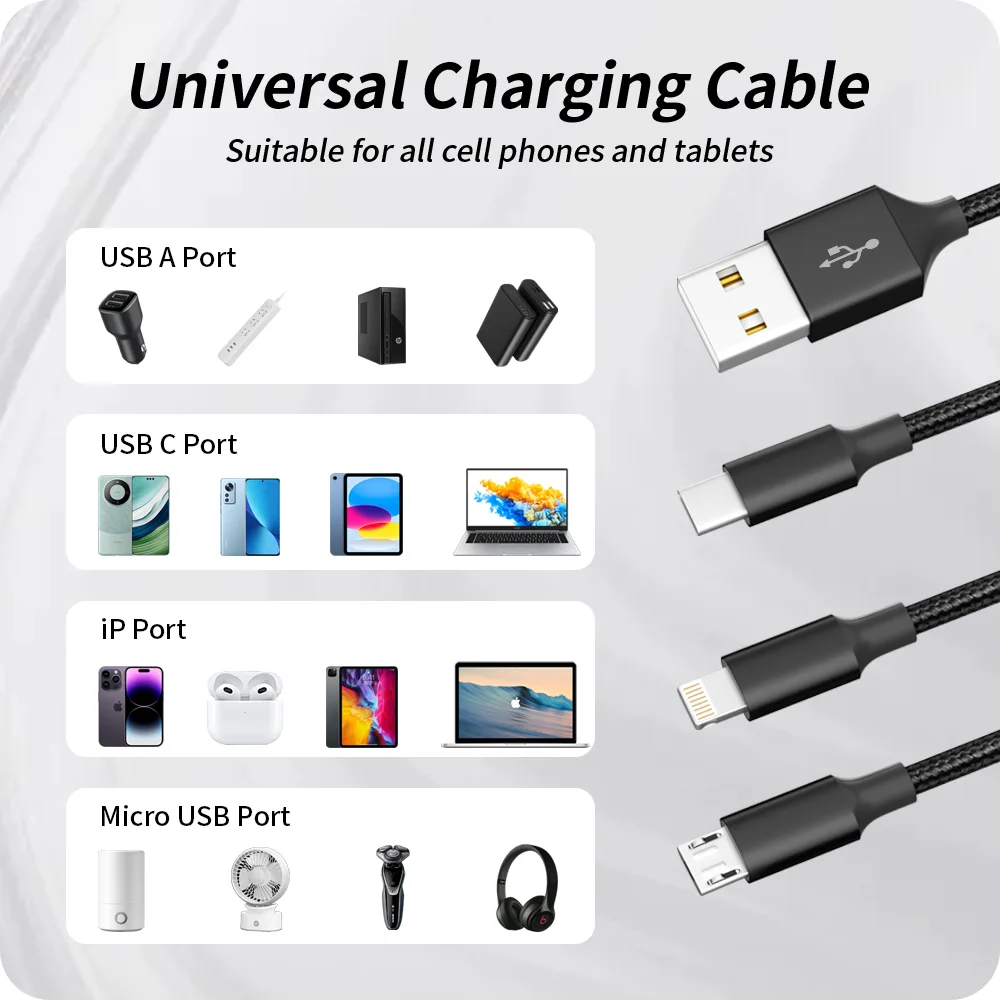
- Charging: Phones, laptops, tablets, and power banks.
- Data Transfer: Connecting external hard drives, cameras, and USB drives.
- Peripheral Connectivity: Keyboards, mice, printers, and audio interfaces.
- Video Output: Connecting laptops to monitors.
If you need our product catalogue, please contact us:Product Catalogue